What this checks
Checks whether your story image fits the vertical 9:16 shape, has enough resolution, uses a common image type, and keeps content away from risky edges.
Check the size, shape, file type, transparency, safe area, and mobile crop before you upload.
Opens with Instagram story
Result
Add an image to see whether it is ready to upload.
Preview
Guidance area: keep important content inside the white frame when possible.
Interface guidance area: Top and bottom controls can cover edge content.
Mobile framing
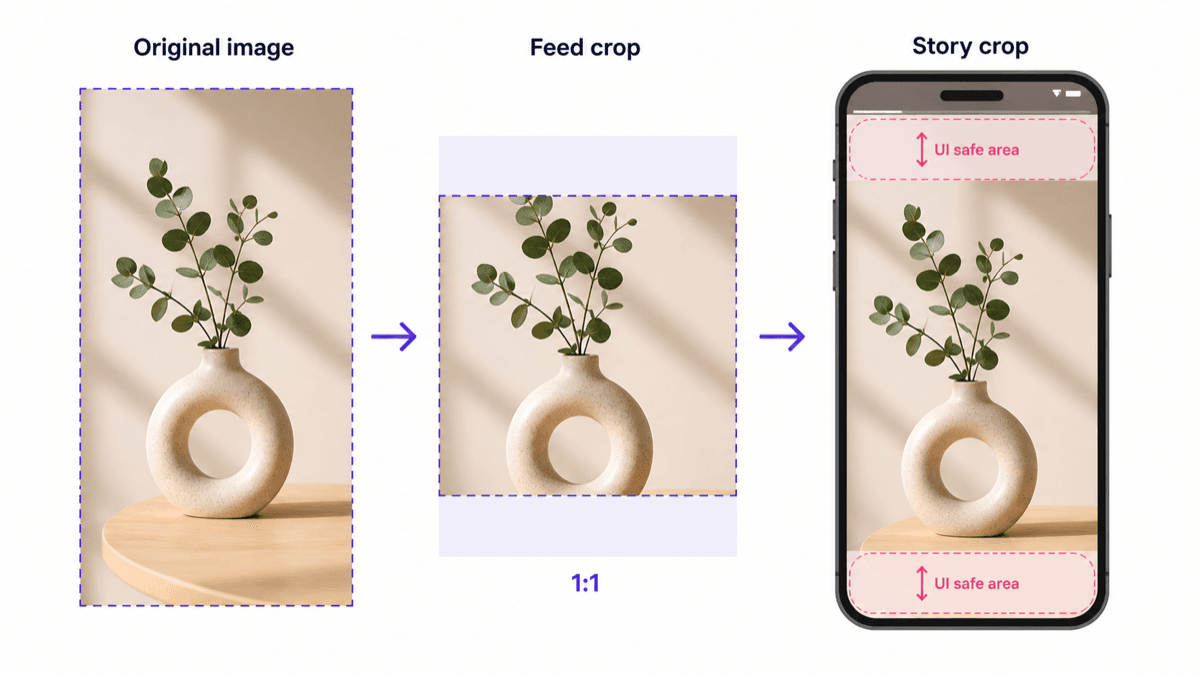
This is a static example. The checker above uses your actual image to show the personalized preview before upload.
Checks whether your story image fits the vertical 9:16 shape, has enough resolution, uses a common image type, and keeps content away from risky edges.
Instagram story controls can cover text near the top or bottom. Images that are not vertical may crop or show in a way you did not expect.
The approximate guidance preview helps keep text, faces, and product details away from interface areas and full-screen edges.
This check is meant to reduce story crop surprises. Instagram may still display images differently across phones and app versions.